Profile
The Profile section allows the admin user to view and manage their account settings.
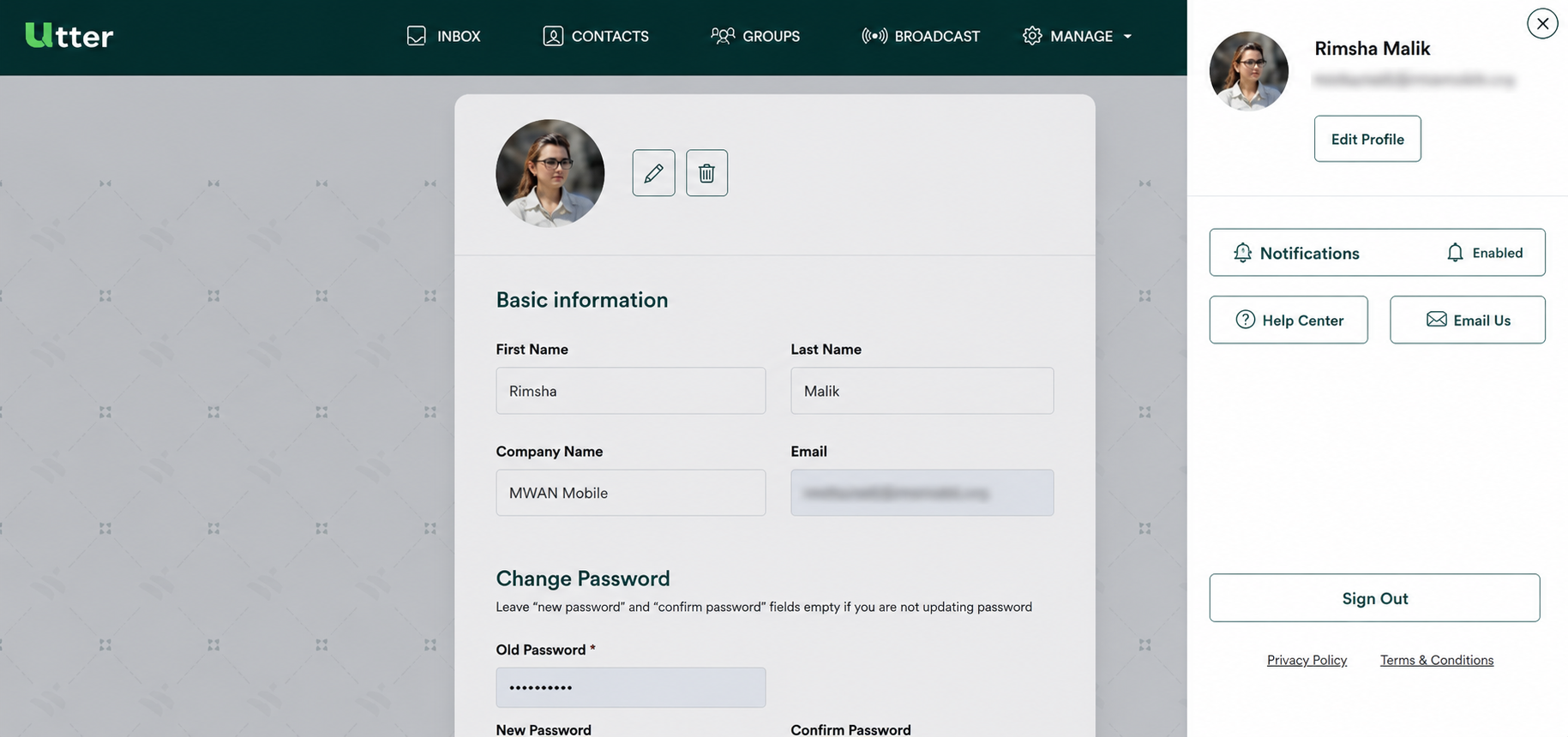
From the profile area, the admin user can access:
- Edit Profile
- Notification
- Help Center
- Email Us
- Sign out
Step 1 — Open your Profile
Open the Profile section to access your profile options and account-related actions.
Step 2 — Edit your profile
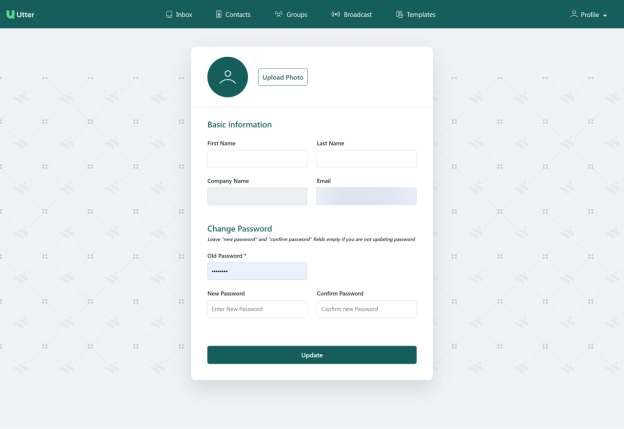
Select Edit Profile to update your basic profile information.
The admin user can modify the following information:
Upload Photo
Upload or change your profile image.
First Name
Modify your first name when required.
Last Name
Adjust your last name when required.
Company Name
The company name is displayed in the profile, but cannot be altered.
Step 3 — Change your password
The Change Password option allows the admin user to update their password.
Enter the following information:
| Field | Description |
|---|---|
| Old Password | Enter your current password. |
| New Password | Enter the new password you want to use. |
| Confirm Password | Re-enter the new password to confirm it. |
Step 4 — Save profile changes
After making the required changes, click Update.
The updated profile information is then saved and applied.
Other Profile options
The Profile section also provides access to the following options:
Notification
Open Notification from the Profile area to access notification-related functionality.
The provided Profile document only identifies this option and does not describe its detailed workflow.
For notification functionality, refer to the dedicated Notifications guide.
Help Center
Select Help Center to access the available help resources.
The provided Profile document identifies this option but does not provide further details about the Help Center workflow.
Email Us
Select Email Us to access the email-related support option.
The provided Profile document does not specify the email address, form fields, or workflow associated with this option.
Sign out
Select Sign out to leave the current account session.
Quick reference
| Option | Purpose |
|---|---|
| Edit Profile | Update profile information and password |
| Notification | Access notification functionality |
| Help Center | Access help resources |
| Email Us | Access the email/support option |
| Sign out | Sign out of the current account |
Need more detail?
- See the Notifications guide for notification functionality.
- See the Help Center for available help resources.