Blocked Contacts
The Blocked Contacts page provides a centralized view of all contacts that have been blocked within the Utter app.
Blocked contacts are displayed in a table containing their name and phone number, making it easy for admins to review and manage blocked interactions.
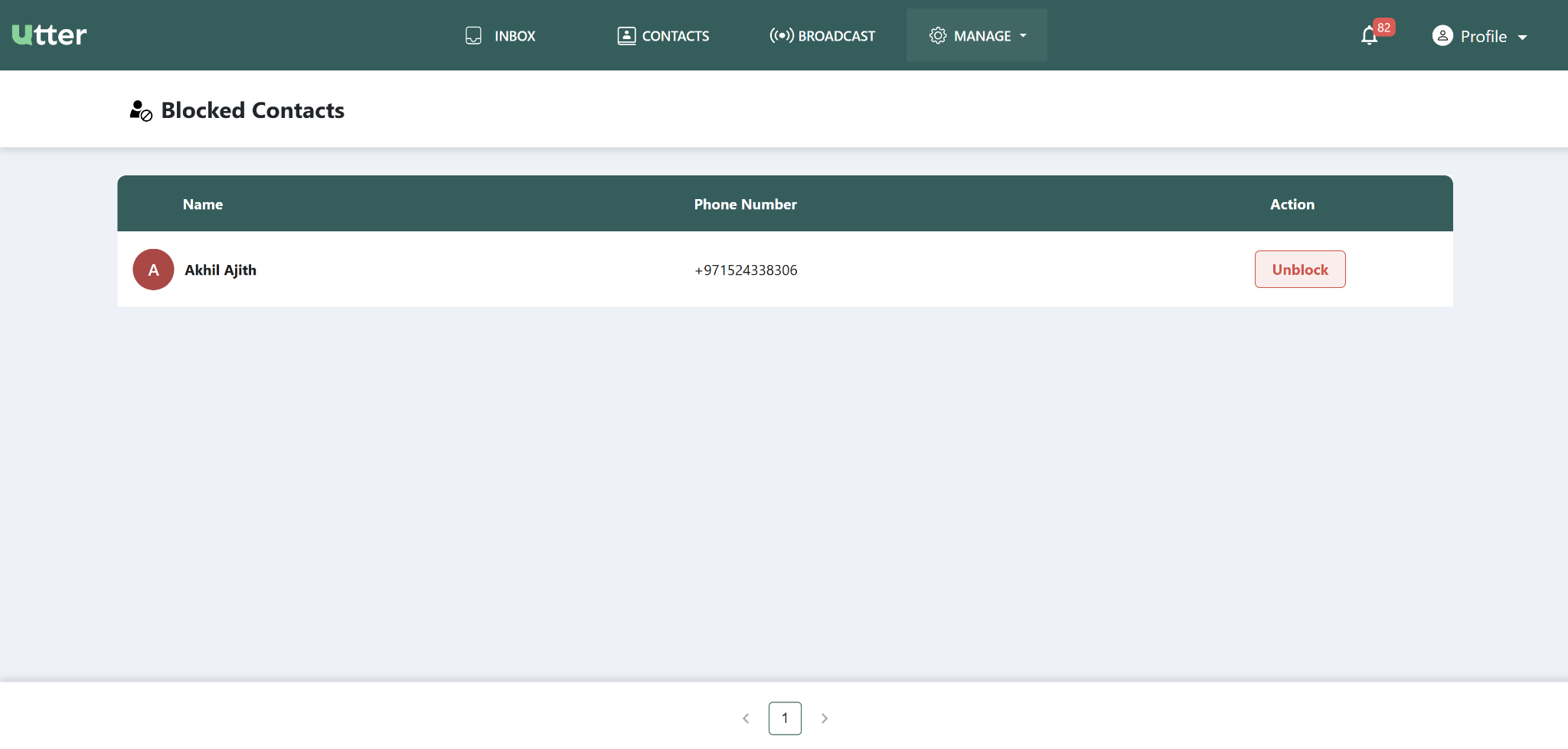
View blocked contacts
Open the Blocked Contacts page to see the list of contacts who have been blocked.
The table displays:
| Information | Description |
|---|---|
| Name | Name of the blocked contact |
| Phone Number | Phone number of the blocked contact |
Unblock a contact
Admins can unblock a contact from the Blocked Contacts page.
To unblock a contact:
- Locate the contact in the blocked contacts list.
- Select the available Unblock action.
- Complete the action as prompted.
Once a contact is unblocked, communication can resume with that contact within the Utter platform.
The provided source describes the Unblock action but does not specify a confirmation dialog or any additional steps after selecting Unblock.
Quick reference
| Action | Result |
|---|---|
| View blocked contacts | Displays blocked contacts with their name and phone number |
| Unblock contact | Removes the block and allows communication to resume |
Need more detail?
Refer to the relevant Contacts documentation for general contact management.